Super Logout: What It Is, How It Works, Benefits, Limitations, and Online Privacy
Online accounts have become a normal part of everyday life. A typical person may use email, social media, shopping websites, cloud storage, streaming platforms, work tools, financial services, and many other websites. Each service can create its own login session, which means that signing out of everything manually can take a surprising amount of time.
This is where the term super logout becomes interesting.
Super Logout refers to a privacy-focused approach that attempts to make signing out of multiple online services faster and easier. Instead of visiting every website separately and clicking a logout button, a Super Logout-style service can provide links or actions for logging out of many supported services from one place.
The idea sounds simple, but the technology behind it has important limitations. Logging out of one website does not automatically log a person out of every other website. Different services use different authentication systems, cookies, tokens, domains, security controls, and session-management methods.
Because of that, super logout should not be understood as a universal “log me out of the entire internet” button.
The concept is better described as a centralized convenience tool for triggering logout actions across a collection of supported websites.
The phrase has also become associated with online privacy because signing out of unused accounts can reduce the time that active sessions remain available in a browser. This can be useful on shared computers, public devices, workstations, or computers that are no longer being used.
However, claims that Super Logout automatically eliminates online tracking or guarantees complete privacy should be treated carefully. Logging out is only one part of digital privacy.
This comprehensive guide explains what super logout means, how the concept works, why people use it, what it can and cannot do, how it compares with manually logging out, and what additional privacy steps users should consider.
What Is Super Logout?
Super Logout is a concept designed to simplify the process of logging out from multiple online services.
The basic problem is easy to understand.
Imagine that you are signed into:
- Amazon
- YouTube
- Dropbox
- GitHub
- Netflix
- Microsoft services
- Several other websites
If you want to sign out of everything, you normally need to open each website and use its own logout function.
That process can take several minutes.
A Super Logout-style page attempts to make this easier by providing logout links for multiple services in one location.
The goal is convenience.
Instead of thinking about 15 different websites, you can work through one organized list.
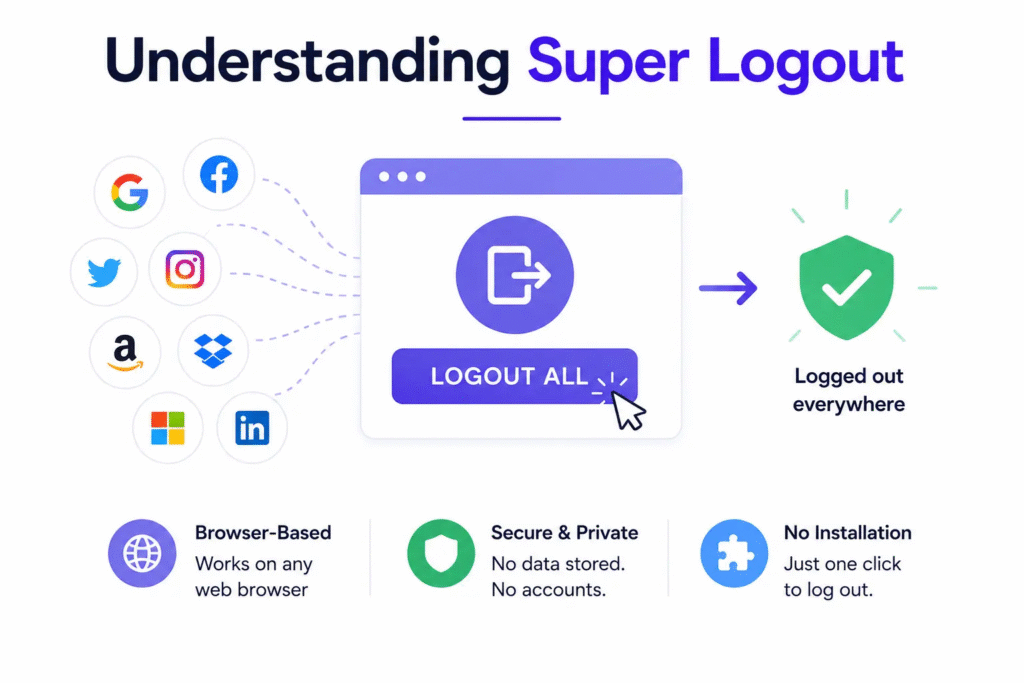
The concept is particularly useful when someone wants to clean up active sessions before leaving a shared computer.
Also read:ActiveVitalSpark Com: Complete Guide to Its Purpose, Wellness Content, Safety, and What You Should Knowhttps://onboardicafee.com/activevitalspark-com/
What Does “Super Logout” Mean?
The phrase “super logout” is not a universal technical standard such as OAuth, HTTPS, or SAML.
Instead, it describes the idea of performing many logout actions from a centralized interface.
The word “super” refers to the scale of the action.
A normal logout signs you out of one service.
A super logout attempts to help you sign out of many services.
This is a useful distinction because it prevents unrealistic expectations.
Super logout does not possess a universal command that every website must obey.
Each website controls its own authentication system.
Therefore, the effectiveness of a super logout tool depends on which services it supports and how those services implement logout.
Why Do People Need a Super Logout Tool?
The main reason is convenience.
People often remain logged into websites for days, weeks, or months because modern browsers are designed to remember sessions.
This is useful when you own the device.
You open your browser, visit a familiar website, and you are already signed in.
The problem appears when another person gets access to the same device.
A shared computer may contain active sessions for email, social networks, shopping accounts, cloud storage, and other services.
If you simply close the browser window, those sessions may remain active.
Super logout can help users remember to sign out from multiple supported websites before leaving the machine.
How Super Logout Works
The basic concept is relatively straightforward.
A centralized page contains logout links for different services.
When you select a service, the tool sends you to that service’s logout endpoint or logout page.
The service then handles the logout process according to its own authentication system.
This is important.
The centralized tool is generally not taking control of your account.
Instead, it is helping you reach the logout functions of supported services.
Think of it as a dashboard of logout shortcuts.
The actual account session is controlled by the website where the account exists.
Super Logout Is Not the Same as Password Management
A password manager stores and helps manage login credentials.
Super logout focuses on active sessions.
These are different things.
A password manager might remember your password so that you can log in quickly.
A logout tool helps terminate sessions after you are finished.
Using one does not replace the other.
In fact, they can complement each other.
A good password manager can help users maintain unique passwords, while regular logout practices can reduce exposure on shared or temporary devices.
Does Super Logout Log You Out of Everything?
No.
This is one of the most important points to understand.
A super logout service cannot guarantee that every online account will be terminated.
There are several reasons.
First, not every website may be supported.
Second, websites can change their login systems.
Third, some services use authentication systems that do not provide a simple public logout endpoint.
Fourth, some services keep sessions active on other devices even after you log out of the current browser.
Fifth, modern authentication can involve multiple tokens and sessions.
Therefore, users should treat super logout as a convenience tool rather than a universal security guarantee.
Super Logout and Cookies
Cookies are one of the technologies commonly used to maintain website sessions.
When you log into a website, the service may store a session cookie in your browser.
As long as that cookie remains valid, the website may recognize you as an authenticated user.
When you log out, the website can invalidate the session and remove or expire relevant authentication information.
However, cookies are not the entire story.
Modern applications can also use other forms of authentication data.
That is why deleting a browser cookie is not always identical to logging out of an account.
A proper logout should ideally tell the service to invalidate the relevant session.
Super Logout and Browser Privacy
Super logout can be useful as part of a broader browser privacy routine.
For example, suppose you use a computer at a hotel, library, school, office, or another shared location.
You sign into several accounts during your session.
Before leaving, you can use a centralized logout tool to help terminate supported sessions.
You can then close the browser and consider clearing browsing data if appropriate.
This creates multiple layers of protection.
However, users should remember that browser privacy and account security are separate issues.
Deleting browsing history does not necessarily sign you out of an online account.
Likewise, logging out does not erase every record of your browsing activity.
Can Super Logout Reduce Tracking?
Logging out can sometimes reduce certain forms of account-linked activity, but it should not be described as a complete anti-tracking solution.
When you are logged into a service, activity may be directly associated with your account.
After logout, that account-linked session is no longer active in the same way.
However, websites can use many other technologies and signals for analytics, advertising, fraud prevention, and personalization.
These can include:
- Cookies
- Browser storage
- IP addresses
- Device characteristics
- Advertising identifiers
- Analytics systems
- Network information
- Login activity from other devices
Therefore, super logout may reduce some exposure from active authenticated sessions, but it does not make someone anonymous.
That distinction is extremely important.
Understanding the Claim That Super Logout Saves Time
The idea that a centralized logout system can save significant time is reasonable.
If you have many accounts open, manually visiting each site can be repetitive.
A single page containing logout options can reduce the number of steps required.
However, exact claims such as “83% faster” should not be treated as a universal scientific measurement unless they are supported by a clearly documented study with defined testing conditions.
The amount of time saved depends on:
- Number of accounts
- Internet speed
- Browser performance
- Number of clicks
- Whether sites require extra confirmation
- Whether services are already open
- Whether the logout action succeeds
- Whether two-factor authentication is involved
For some users, the time savings may be large.
For others, it may be relatively small.
The underlying convenience remains useful even without assigning one universal percentage.
Super Logout for Shared Computers
Shared computers are one of the clearest use cases.
Consider a public computer.
You use it to:
- Check email
- Access a social network
- Read a cloud document
- Check an online account
- Shop for something
You finish your work.
If you simply close the browser, your sessions may remain active.
A logout routine provides an extra layer of protection.
A super logout-style tool can help make that routine faster.
However, it should not replace the security features built into individual services.
When available, users should still check account security pages for active sessions and sign out unknown devices.
Super Logout for Travel
Travel creates another useful scenario.
People often use hotel business centers, conference computers, airport devices, borrowed laptops, or temporary machines.
Logging into personal accounts on such devices creates additional risk.
If you must use a shared or unfamiliar computer, it is better to avoid sensitive accounts when possible.
If you do sign in, log out before leaving.
A centralized logout tool can help with that final cleanup.
The best approach is still to use your own trusted device whenever possible.
Super Logout and Public Wi-Fi
Super logout does not protect you from all risks associated with public Wi-Fi.
Modern websites commonly use HTTPS, which encrypts traffic between your browser and the website.
However, account security involves more than network encryption.
If you leave an active session open on a public computer, someone who uses that machine afterward may potentially access the account.
Logging out reduces that particular risk.
Therefore, super logout can be useful in a public-device scenario, but it should not be marketed as a complete public-Wi-Fi security solution.
Super Logout and Account Security
Logging out is a basic security practice.
It becomes particularly important when:
- You share a computer
- You use a temporary device
- You borrow someone else’s laptop
- You access an account from a public workstation
- You are finished with a sensitive account
- You are selling or giving away a computer
For personal devices, staying logged in can be convenient.
For shared devices, staying logged in can be dangerous.
This simple difference explains much of the practical value of a multi-service logout approach.
Does Super Logout Change Your Password?
No.
Logging out and changing a password are completely different actions.
If you believe someone knows your password, logging out may not be enough.
You should change the password through the official service.
You may also need to revoke other sessions or devices.
For important accounts, enable multi-factor authentication when available.
Super logout is therefore only one part of account security.
Super Logout vs. Signing Out Manually
The biggest difference is convenience.
Manual logout requires you to visit each website separately.
Super logout groups logout actions together.
| Feature | Manual Logout | Super Logout Concept |
| Number of steps | More | Usually fewer |
| Central interface | No | Yes |
| Works with every website | Depends on each site | Only supported services |
| Account passwords changed | No | No |
| Browser history deleted | No | No |
| Complete anonymity | No | No |
| Useful on shared computers | Yes | Yes |
| Requires service support | Yes | Yes |
The important takeaway is that super logout improves the process but does not change the underlying security architecture of the internet.
Super Logout vs. Clearing Browser Cookies
These two actions are often confused.
Clearing cookies removes browser-stored data.
Logging out asks the website to end your authenticated session.
They can produce different results.
If you clear cookies without properly logging out, the server may still consider the session valid.
In other cases, removing the local cookie may effectively prevent your browser from using the session.
The safest approach is to use the website’s official logout function first.
Then clear browser data when appropriate.
Super Logout vs. Private Browsing
Private browsing is also different.
Private or incognito mode generally reduces the amount of local browser history, cookies, and other data retained after the private session ends.
It does not make you invisible to websites, internet providers, employers, schools, or network administrators.
Also read:Quikconsole Com: What It Is, How It Works, Features, Safety, and What Users Should Know
Super logout is focused on account sessions.
Private browsing is focused mainly on local browser storage and session behavior.
They solve different problems.
Super Logout vs. Password Managers
Password managers help you securely store credentials.
Super logout helps you end sessions.
A password manager is useful when you have many unique passwords.
A logout tool is useful when you need to terminate multiple active sessions.
Using both can create a stronger security routine.
For example:
- Use a password manager for unique passwords.
- Enable multi-factor authentication.
- Use trusted devices whenever possible.
- Log out from shared devices.
- Review active sessions regularly.
- Use a multi-service logout tool when appropriate.
Potential Benefits of Super Logout
Faster Session Cleanup
The biggest benefit is convenience.
Instead of searching through bookmarks and opening websites one by one, users can work from a centralized list.
Lower Risk of Forgetting an Account
When you manually log out, it is easy to forget one service.
A centralized list can make the cleanup process more systematic.
Useful for Shared Devices
It can be particularly useful after using a public or borrowed computer.
Simple Concept
Users do not need advanced technical knowledge to understand the basic idea.
Better Privacy Habits
The tool can encourage people to think about active sessions instead of simply closing browser windows.
Limitations of Super Logout
Not Every Service Is Supported
A centralized logout page cannot control websites that it does not support.
Websites Change Their Systems
A logout link that worked previously may stop working if the website changes its authentication architecture.
Some Sessions Exist on Other Devices
Logging out of your current browser may not terminate sessions on your phone, tablet, or another computer.
It Does Not Delete Your Account
Logging out does not remove your account or personal data.
It Does Not Guarantee Privacy
Tracking technologies can continue to exist after logout.
It Does Not Replace Security Settings
Account security pages may provide stronger options for reviewing and revoking sessions.
Is Super Logout Safe to Use?
The concept itself is generally straightforward, but users should evaluate any particular website carefully.
Before using a third-party logout service, consider:
- Is the site trustworthy?
- Does it use HTTPS?
- Does it request your password?
- Does it ask you to install software?
- Does it redirect you to official service domains?
- Does it clearly explain what each action does?
- Does it collect unnecessary personal information?
A legitimate logout helper should not need your passwords simply to direct you to a service’s logout function.
This is one of the most important safety rules.
Never give your password to a website just because it claims to log you out of another service.
Why You Should Avoid Entering Passwords Into a Logout Tool
A logout tool should not require your password.
Your password belongs to the service you are accessing.
If a third-party site asks for your Google, Microsoft, Facebook, banking, or other password so it can “log you out,” stop and investigate.
That could be a phishing attempt.
Use the official website instead.
A centralized logout helper should ideally function through links, redirects, or supported mechanisms rather than collecting account credentials.
How to Use Super Logout More Safely
A good process is simple.
First, use a trusted device whenever possible.
Second, open the logout service through a known and secure address.
Third, use the provided logout actions.
Fourth, visit important accounts directly and verify that you are signed out.
Fifth, close the browser.
If you used a public computer, clear local browsing data if appropriate.
Finally, consider checking your important account’s active-session page later from your trusted device.
This approach combines convenience with verification.
What Super Logout Cannot Do
Understanding limitations is more valuable than memorizing a feature list.
Super logout cannot:
- Delete your online identity
- Remove your account
- Erase server-side records
- Guarantee anonymity
- Stop all advertising
- Delete information already collected by a website
- Change your password
- Secure a compromised account by itself
- Automatically terminate every device session
- Override a website’s authentication system
These limits are not flaws unique to one service.
They come from the decentralized nature of online accounts.
Every service manages its own users and authentication infrastructure.
Why Logging Out Is Still Important in 2026
Modern devices are designed to keep users logged in.
This is convenient.
You can open an application and immediately continue where you left off.
But convenience also creates a security tradeoff.
If someone gets access to an unlocked device, active sessions can give them access to accounts without requiring a password again.
This is why session management remains important.
Even with biometric authentication, password managers, and multi-factor authentication, users should understand where their active sessions exist.
The Importance of Account Session Management
Many major services provide security dashboards showing devices where an account is currently signed in.
These dashboards can be more powerful than a simple logout page.
They may allow you to:
- Review recent sign-ins
- Identify unfamiliar devices
- Revoke sessions
- Change passwords
- Enable multi-factor authentication
- Receive security alerts
If you believe your account has been accessed by someone else, use the service’s official security tools rather than relying only on super logout.
Super Logout After Using a Work Computer
Work computers can contain sensitive information.
If you use your personal accounts on a company computer, remember that the computer may be managed by an organization.
Avoid storing personal passwords in a shared browser.
Avoid leaving personal sessions active.
Sign out when finished.
If company policy prohibits personal accounts on work devices, follow the policy.
Super logout may help with session cleanup, but it does not change the organization’s ability to manage its device.
Super Logout for Students
Students sometimes use school or library computers to access personal accounts.
This can create accidental privacy problems.
A student might sign into an email account, social network, or cloud storage service and then walk away without logging out.
A simple logout routine can prevent this.
However, students should also avoid saving passwords in public browsers.
They should check whether the browser offers to save credentials and decline when using shared computers.
Super Logout and Digital Hygiene
Digital hygiene means regularly maintaining your online security and privacy.
It includes:
- Updating software
- Using strong passwords
- Using unique passwords
- Enabling multi-factor authentication
- Reviewing account activity
- Removing unused applications
- Updating recovery information
- Logging out from shared devices
- Reviewing connected apps
- Deleting unused accounts
Super logout fits into this larger routine.
It is not the entire solution.
Think of it as a small cleaning tool in a much larger digital-security toolbox.
How Businesses Can Think About Multi-Service Logout
Businesses often manage many online services.
Also read:Donna Sicuranza: Her Life, Career, and Long-Standing Work in Feline Animal Welfare
Employees may use cloud storage, communication tools, project management platforms, customer systems, and administrative dashboards.
When an employee leaves a company, simply logging out of one computer may not be enough.
Organizations should use centralized identity and access management where possible.
Systems such as single sign-on can make access management easier, while centralized identity providers can allow administrators to disable accounts more efficiently.
A consumer-oriented super logout tool should not be confused with enterprise identity management.
They solve different problems.
Why Single Sign-On Is Different
Single sign-on, or SSO, allows users to access multiple applications through one identity system.
This can make login easier.
But logging out from SSO systems can be more complicated because different applications may maintain their own sessions.
A centralized logout mechanism in an enterprise environment may attempt to terminate several application sessions.
That is conceptually related to super logout, but the underlying technology and security requirements are much more advanced.
Super Logout and OAuth
OAuth allows applications to obtain limited authorization to access resources without receiving the user’s password.
It is widely used across modern web services.
Logging out of a website that uses OAuth may involve several layers.
You might log out from the application itself while still remaining signed into the identity provider.
This is another reason why “logout everywhere” is more complicated than clicking one button.
A good logout system must understand which session is being terminated.
Why Logout Is Harder Than It Looks
From the user’s perspective, logout seems simple.
Click “Log Out.”
Done.
Behind the scenes, authentication can involve:
- Browser cookies
- Access tokens
- Refresh tokens
- Identity providers
- Application sessions
- Device sessions
- Single sign-on
- API credentials
- Mobile sessions
Ending one session does not necessarily end every other session.
This is the technical reason super logout cannot guarantee universal logout.
A Practical Super Logout Checklist
When leaving a shared or temporary computer, use this routine:
- Save your work.
- Log out of sensitive accounts.
- Use a trusted multi-service logout tool if appropriate.
- Check important services individually.
- Close browser tabs.
- Clear browser data if necessary.
- Make sure passwords were not saved.
- Lock or shut down the computer.
- From your trusted device, review important account sessions if you are concerned.
This process provides much stronger protection than simply closing a browser.
Common Misunderstandings About Super Logout
Myth: It Logs You Out of the Entire Internet
No. It only works with supported services and available logout mechanisms.
Myth: It Deletes Your Data
No. Logging out does not delete account data.
Myth: It Makes You Anonymous
No. Logout is not the same as anonymity.
Myth: It Changes Your Password
No. Password changes are separate.
Myth: It Protects Every Device
No. A logout action may apply only to a particular session or service.
Myth: Closing the Browser Is the Same as Logging Out
Not always.
Some browsers and services can preserve sessions after the browser closes.
How to Think About Super Logout in Simple Terms
Imagine you are leaving a building with 20 doors.
Each door represents a different online service.
Normally, you have to visit each door and lock it yourself.
A super logout tool gives you a checklist of doors and shortcuts to their locks.
It makes the process easier.
But it cannot lock a door that is not on the list, and it cannot control doors that use a completely different locking system.
That is essentially the idea.
The value is convenience, not magic.
Final Thoughts on Super Logout
Super logout is best understood as a convenience-oriented approach to managing multiple online sessions. It addresses a real problem: modern users often remain signed into many services, and manually logging out of each one can be repetitive and easy to forget. A centralized logout interface can make the cleanup process faster and more organized, especially on shared, temporary, or public computers.
At the same time, users should keep their expectations realistic. Super logout is not a universal internet logout command, an account-deletion service, a password manager, or a complete anti-tracking solution. Different websites use different authentication systems, and logging out of one session does not necessarily terminate every session associated with an account.
The strongest approach is to combine super logout with good digital-security habits. Use unique passwords, enable multi-factor authentication, review active devices, avoid saving credentials on public computers, and use official account-security tools when something looks suspicious. When these practices are combined, logout tools become more useful because they are part of a broader privacy and security strategy rather than being treated as a single solution.
For everyday users, the main lesson is simple: logging out matters, especially when you use a computer that other people can access. Super logout can make that process easier, but good online security still depends on understanding where your accounts are signed in and taking control of your sessions deliberately.
Frequently Asked Questions About Super Logout
Is Super Logout free to use?
Availability and features can depend on the specific Super Logout website or service. Users should check the current official page before relying on it.
Can Super Logout sign me out of my phone and other devices?
Not necessarily. Logging out through a browser may only end the session supported by that service. For complete device management, check the account’s official security or active-sessions page.
Does Super Logout delete my online accounts?
No. Logging out only ends an active session. Your account, profile, files, messages, and other stored information remain with the service.
Can Super Logout protect me from hackers?
Super Logout can help reduce the risk of leaving active sessions open, but it cannot protect an account by itself. Strong passwords, multi-factor authentication, security alerts, and regular session reviews are also important.
Does Super Logout make me completely anonymous online?
No. Logging out does not make you anonymous or stop all forms of online tracking. It is mainly a tool for managing active account sessions and improving logout convenience.